8 Amazing Free AI Tools For Market Research (2026)

Updated: January 2026
Market research is vital to understanding consumer behaviours, attitudes, and preferences. It can help you identify opportunities, assess competitive landscapes, and tailor strategies to effectively meet customer needs. And with the help of generative AI, you can now streamline the process of conducting market research, drastically shortening your time to insight.
In this article, I want to share some of the best AI tools I’ve used to streamline my market research processes and workflows. I’ve also curated this list based on free tools (or tools that offer freemium plans).
Also, a quick caveat. There are many different types of market research, from primary to secondary or from quant to qual. This list will primarily focus on secondary (aka desktop research) research, which is carried out through the summary, collation and/or synthesis of existing data.
So, without further ado, here are my top 6 free AI tools for doing market research:
1. Gemini
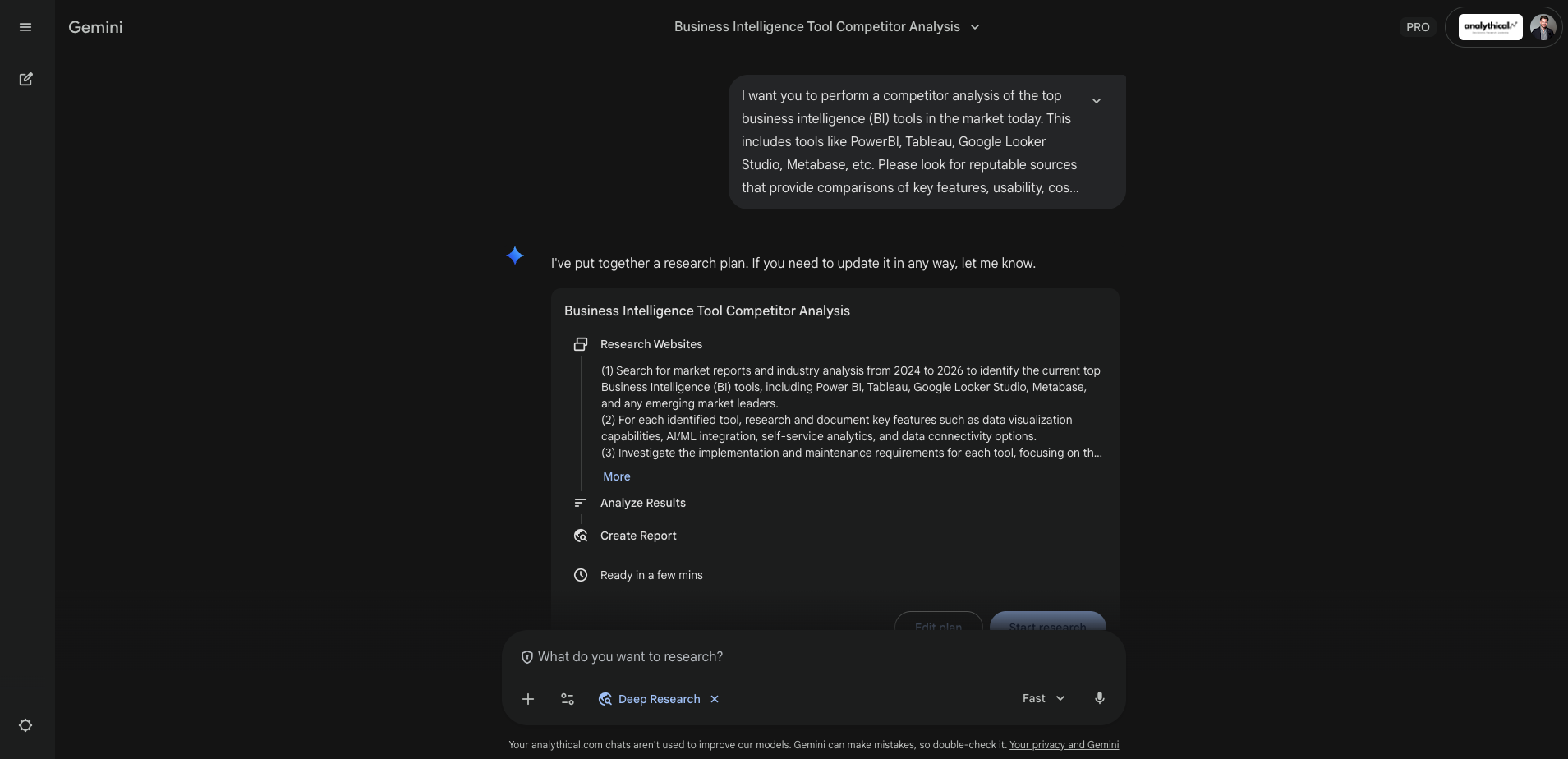
I’m not going lie, when I first published this list in 2024, Gemini was nowhere near my top 10 AI tools for market research. But over time the team at Google made key improvements, both to the performance of their models and the user experience of working with Gemini.
The Deep Research mode in Gemini in a stand out for me. With a short prompt, you can tap into Gemini’s agentic features and get it to generate a full research report in minutes. What’s more, Gemini’s Canvas feature is pretty awesome, as it allows you to edit generated output on the fly, as well as create new mediums of your content, such as a website or infographic.
Gemini Canvas also has frictionless integration with Google Drive, as you can instantly create files, slides or spreadsheets from generated Content.
2. ChatGPT
OpenAI’s ChatGPT remains a leading tool for researchers. Its models are highly capable, and the ChatGPT experience continues to improve: it now offers a deep research mode, file upload and interrogation, web search, app integrations and more.
At the time of writing, a free OpenAI account gets you access to ChatGPT Go, a general-purpose variant of the latest model (version 5.2). A paid subscription unlocks more advanced model variants, longer chat histories, and faster image, video generation, among other features.
For researchers, the most useful capabilities include Deep Research mode, which can produce a full research report from a basic prompt, and the Apps integration feature, which lets you connect ChatGPT to other services such as Google Drive. Integrations like Google Drive are particularly valuable for automation and for giving the model direct context: when connected, the model can access your documents without requiring you to paste their contents into prompts or manually upload files through the ChatGPT interface.
3. Perplexity AI
Perplexity was a game-changer when it first came out, mostly because of it’s internet crawling capabilities. At the time, other AI tools like ChatGPT or Gemini could not access the internet, and you were at the mercy of the knowledge cutoff date.
A lot has changed since those days, and basically ever major AI chat tool now has internet search and crawling capabilities. So the hero functionality that gave Perplexity an edge the early days is gone.
With that said, I still find Perplexity to be a great tool for researchers, and I think it has one of the best UI’s for AI apps today, both in mobile and their web experience.
Perplexity’s product is constantly changing. But similar to ChatGPT and Gemini, you’ll get access to a Deep Research model, and the ability to generate new files and outputs.
What makes Perplexity shine today as access to multiple models (though you’ll need to be on a paid plan for this). Whereas, with Gemini or ChatGPT, you’re locked into their proprietary models, with Perplexity you can access everything from Gemini to GPT to Claude. So if you’re dialled into the strengths of different models for different tasks, then Perplexity is your tool.
Of course, Perplexity isn’t the only multi-model tool in the market today. But again, I’m a big fan of their user interface and I love how their product continues to evolve. It really is a great all-around productivity suite that is complementary to the ways that researchers often work.
4. Claude
Developed by Anthropic, Claude is another powerful generative AI tool for conducting research, collecting statistics, and generating summaries and analyses. Like Perplexity, I feel like Claude’s product roadmap and features are evolving at a very fast pace.
Where Google and OpenAI seem to focus mostly on model innovation, the team at Anthropic regularly push out big updates that improve both their model quality and user experience.
Claude really shines when it comes to integrations and other things like setting up Model Context Protocol (MCP) servers. In general, I find that they make it really easy to hook up Claude to other tools, apps and platforms so you can spend less time prompting and more time building.
I’ve also personally found that the differences between Anthropic’s flagship models, such as Sonnet, Opus and Haiku are much clearer when it comes to their strengths for different tasks. For example, Sonnet stands out for me when it comes to creative tasks like writing, whereas Opus tends to perform better for technical tasks like coding.
For researchers, I’ve also found that Claude outperforms other models for some key tasks, such as text analysis and inductive vs deductive coding. I even carried out an experiment on this topic a few years back with a colleague, which you can read about here.
5. Elicit
Elicit specializes in finding and analyzing academic research, and providing concise summaries of content, methodologies, and findings. For market researchers focused on evidence-based insights and data-driven strategies, Elicit serves as a bridge to a vast ocean of academic knowledge.
Using Elicit, you can search for papers based on a keyword or upload PDFs for the AI to interrogate. But the real magic of Elicit happens when you’re analyzing a specific paper. Once you’ve found an article, you can use one of Elicit's many pre-built functions, such as summarizing the findings, methodology, study design, intervention effects, etc. It’s quite useful, as it allows you to effortlessly unpack academic research, even if it’s highly technical or difficult to comprehend for an average reader.
By condensing complex research papers into digestible summaries, Elicit empowers users to leverage scientific discoveries and data in their market analysis, enhancing the depth and credibility of their findings.
6. Browse AI
Browse AI excels at automating the process of scraping and extracting data from online sources. This is especially useful if your research objectives revolve around retrieving and analyzing structured information and data from websites and social media. What I love about Browse AI is that, in the past, this kind of automation required a developer to build scripts that could scrape data. Now, anyone can build powerful and dynamic web scrapers for retrieving and storing information in just a few clicks.
For example, suppose you wanted to retrieve LinkedIn job post listings that mention the word “data science.” Or, say you wanted to extract all comments from a Reddit thread that responded to a specific post or mentioned a keyword. All of this is possible with Browse AI, and incredibly easy to do.
By streamlining the data extraction process, Browse AI significantly reduces the time and effort required to gather actionable market insights, allowing researchers to focus on analysis and strategy development.
7. Slides AI
What would a market research report be without a slide presentation? Slides AI is a handy Google Slides extension that allows you to easily transform text and data into a compelling presentation. It leverages AI to suggest design layouts, formats, and visualizations, making it easier for researchers to communicate their findings to stakeholders in a clear and impactful manner.
There are some limitations to the output of slides AI, and from my experience, it won’t really give you a perfect slide deck ready to present to your stakeholders. Instead, think of Slides AI, like most AI tools, as a way of getting close to the finish line. Slides AI is great at getting a base presentation deck up and running, but it will still require some tweaking and optimization on your part to get it perfected and ready for sharing.
Take note that on the free plan you can create 3 presentations per month, after that you’ll need a paid subscription. So, use your free credits wisely.
Slides AI is available as a free Google Slides extension. To try it out, log in to Google Slides, create a new slide presentation, then go to Extensions > Add-ons > Get add-ons, and search for SlidesAI. You can also visit their website here.
8. Cove AI
Cove AI is an LLM powered productivity tool that is great for organizing and managing your research projects. What I like about Cove is that it breaks away from the traditional chatbot interface, opting instead for an open canvas-like design, similar to what you would find in Miro or Figma.
When you login to Cove’s interface, you can create cards, which can be generated based on a question or the card title. You can also upload documents, such as PDFs and image files which Cove can extract information from.
Cove AI also offers a helpful Chrome extension, which you can use to summarize or extract information from websites.
At the time of writing, Cove AI offers a freemium plan which allows you to create a limited number in your workspace. After that, you will need to upgrade to a paid plan.
9. Notebook LM
Launched by Google, Notebook LM is quickly becoming one of my favourite tools for secondary research. It may not have the best user interface (at least in my opinion), but what it lacks in UI it makes up for in functionality.
So what can you do with Notebook LM? Well, for starters you can create notebooks and import all your data and information into them. You can do this by either uploading files, such as PDFs or images, or you can paste links to websites or videos. Notebook LM will automatically process and analyze all of your imported data, and then you can use a simple chatbot that you can use to ask questions and talk to your data.
One feature I love is the ability to create AI-generated podcasts summarizing and discussing any files or resources you have imported. How this works is, after you have imported all your documents and resources, click on Notebook guide and under Audio overview, click Generate. This will create a realistic, 2-way conversation between two people (like a podcast) discussing your notebook. Google by no means created this technology, but including the audio overview feature within Notebook LM is pretty awesome.
You can sign in to Notebook LM using an existing Google account here.
Conclusion
The rapid evolution of generative AI is transforming how we work. And nowhere is that more evident than in market research. Using tools like the ones covered in this article can drastically reduce the time it takes to plan, collect, prepare, and present a market research report.
But remember, generative AI shouldn’t be about 100% automation. You still need to play an active role in the outcomes, which means you’ll have to invest time in tweaking, optimizing and enhancing the outputs of an AI to achieve the best possible results.